01 · The work
Purpose system
Outcome, story, sections, tasks.
Purpose
The outcome — exam, career, study, craft, or health.
Story
Why this creator can write it.
Sections
Phases in order, with a close.
Tasks
Finishable work, not slogans.
Deep work system · Web, Android, iPhone
Fitraat Focus is a 5-step session on a purpose system, informed by published work on starting, interruptions, and feedback. Sit down and do the work — exam, career, craft, or whatever you are making.
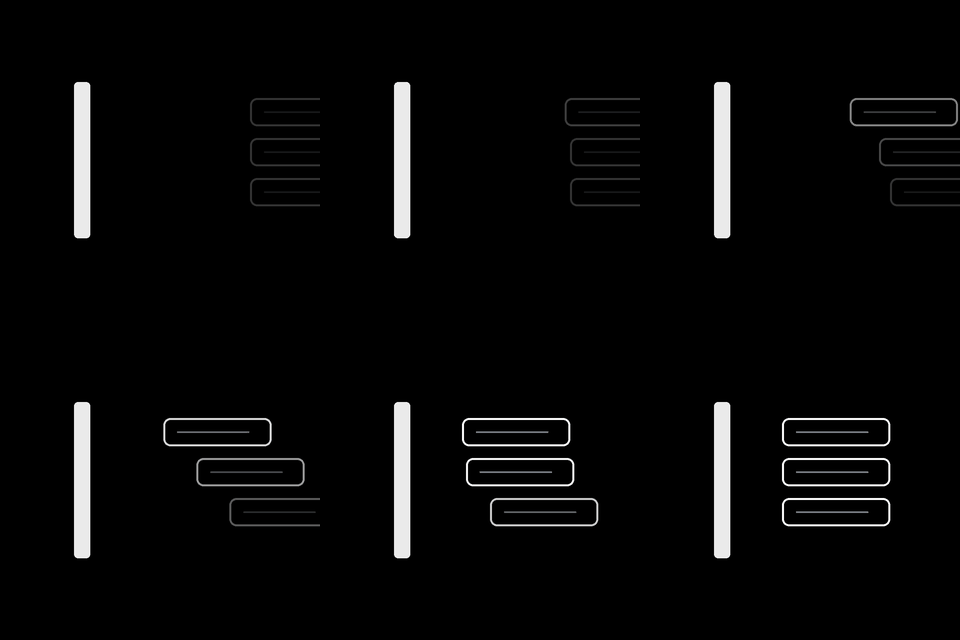
01 · The work
Purpose system
Outcome, story, sections, tasks.

02 · The session
5-step loop
Prepare → Activate → Focus → Close → Reflect
01
Prepare
02
Activate
03
Focus
04
Close
05
Reflect
How it works
Take a library written by someone who already did the work. Then run it inside the same 5-step session every time. Prepare, the protected block, and the score afterward draw on published work. They are not a test of this app.
01 · The work
Outcome, story, sections, tasks.
Purpose
The outcome — exam, career, study, craft, or health.
Story
Why this creator can write it.
Sections
Phases in order, with a close.
Tasks
Finishable work, not slogans.
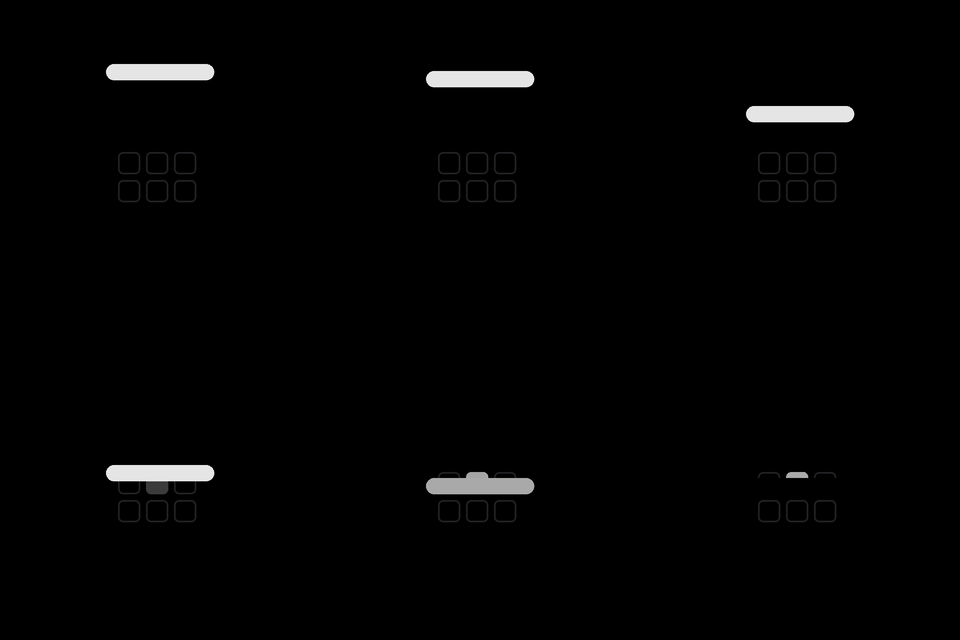
02 · The session
Prepare → Activate → Focus → Close → Reflect
You can see what done looks like before you sit down.
The session holds you through work and breaks. On Android, the apps you chose stay closed.
Reflection, streaks, and reports after each run.
Named sources
Four sources the session draws on. The notes link each one. This is not a clinical trial of the app, and these sources do not cover every step.
Getting back after an interruption takes time. In the Android app, pick the apps that stay closed. When one comes to the front, Fitraat Focus covers it and sends you back to the work.
Get it onGoogle Play01
In Block Space, select the apps. Search the list on the phone.
02
While the focus timer runs, you can block more apps. You cannot remove a block until the timer ends.
03
That time counts only while a blocked app is open. Lock again and the cover comes back at once.
Android asks for display over other apps, usage access, and notifications. Until those are on, the block stays off. The website cannot block other apps.
iPhone
Use Safari’s Add to Home Screen. After that, Fitraat Focus opens full-screen from your Home Screen — no App Store needed.
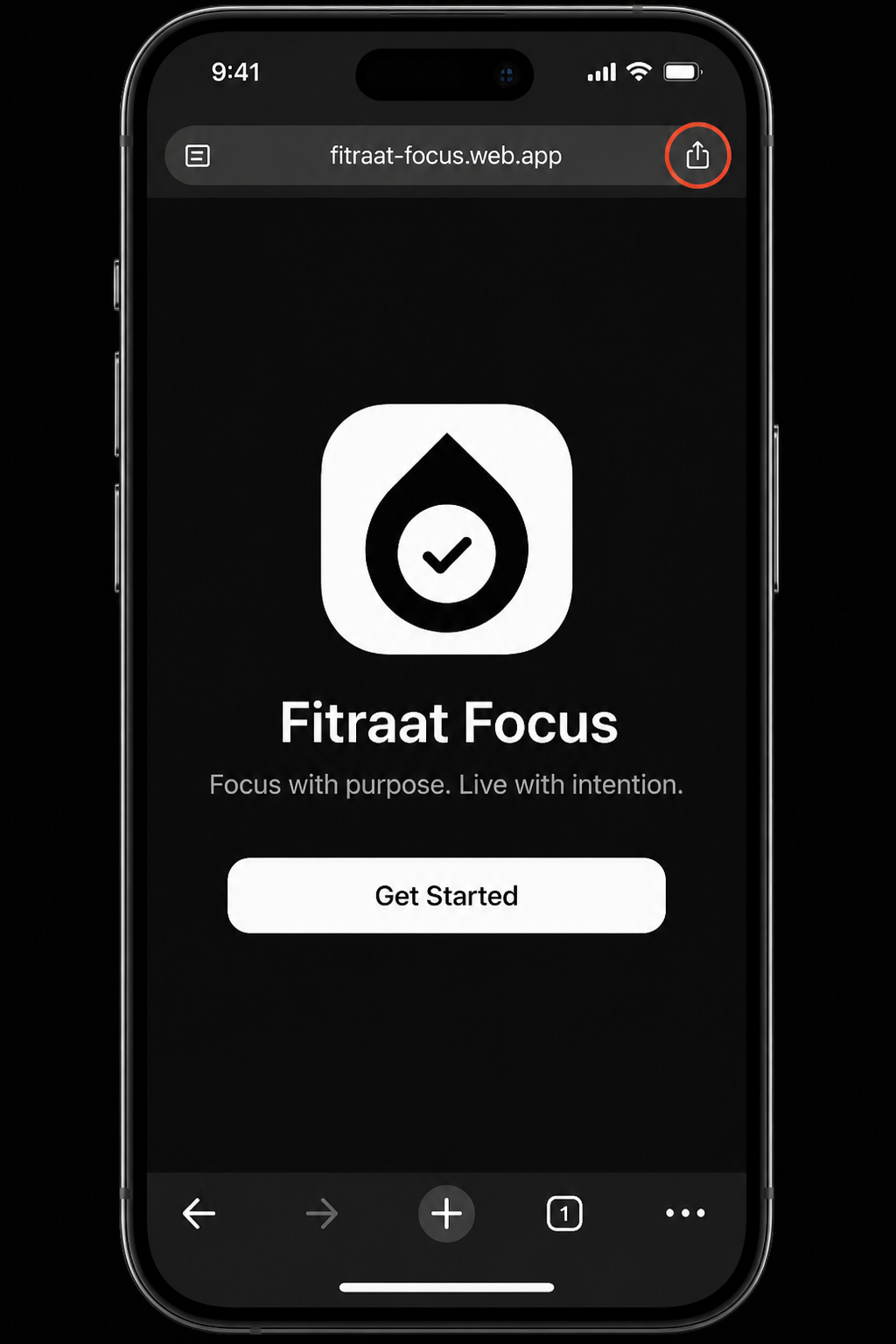
Step 01
Open app.fitraatfocus.com/welcome, then tap Share.
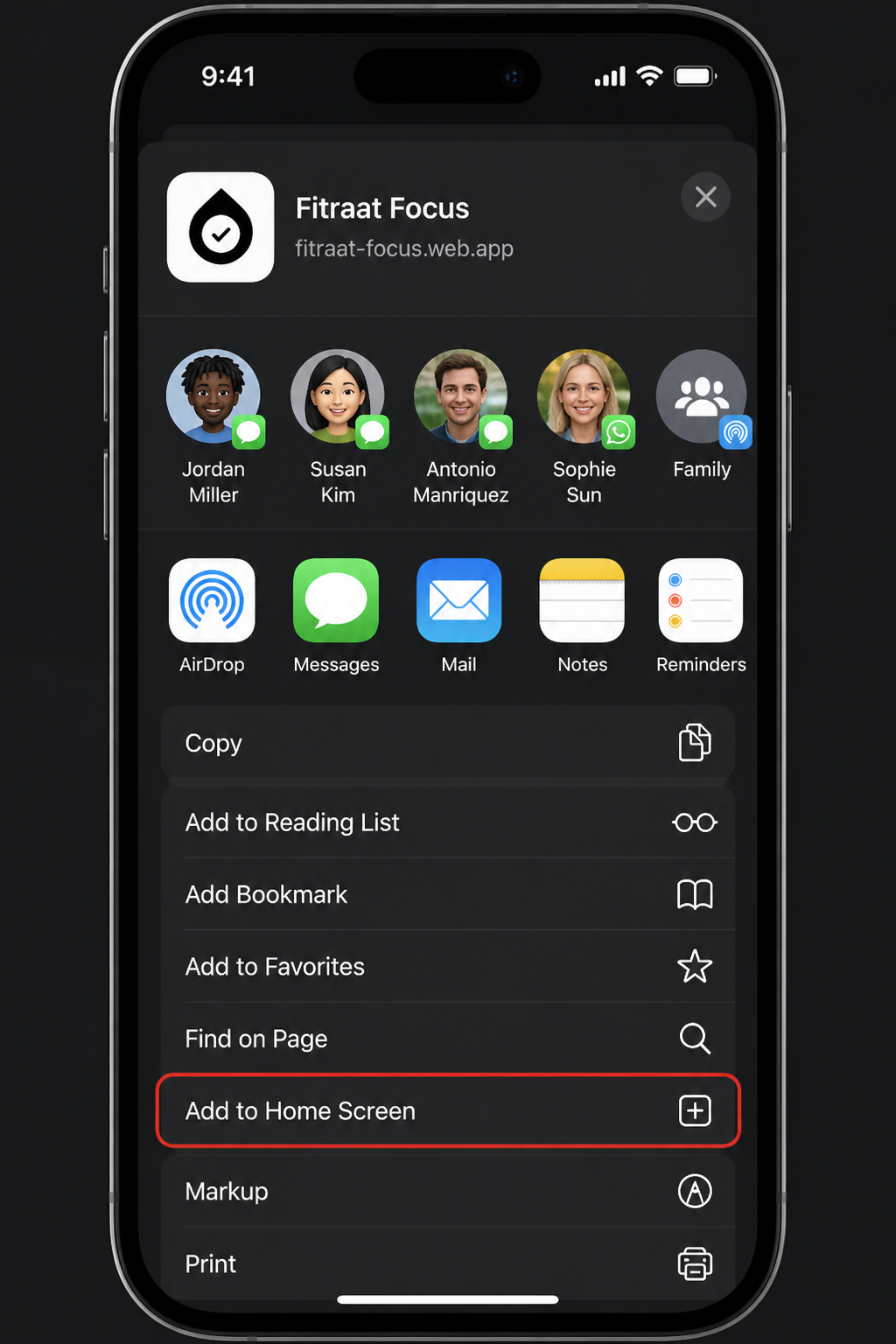
Step 02
In the Share sheet, tap Add to Home Screen.
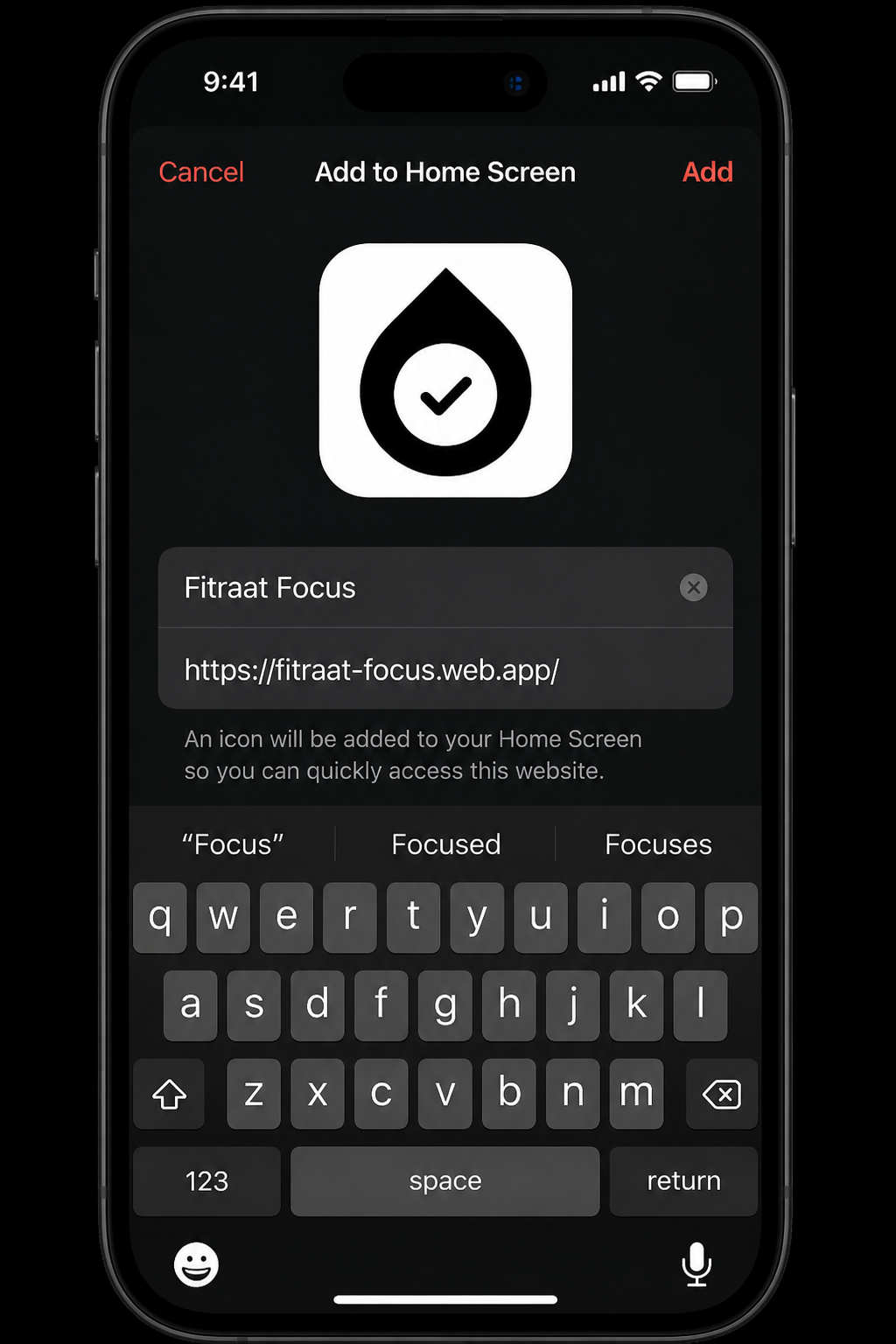
Step 03
Edit the name if you want, then tap Add.
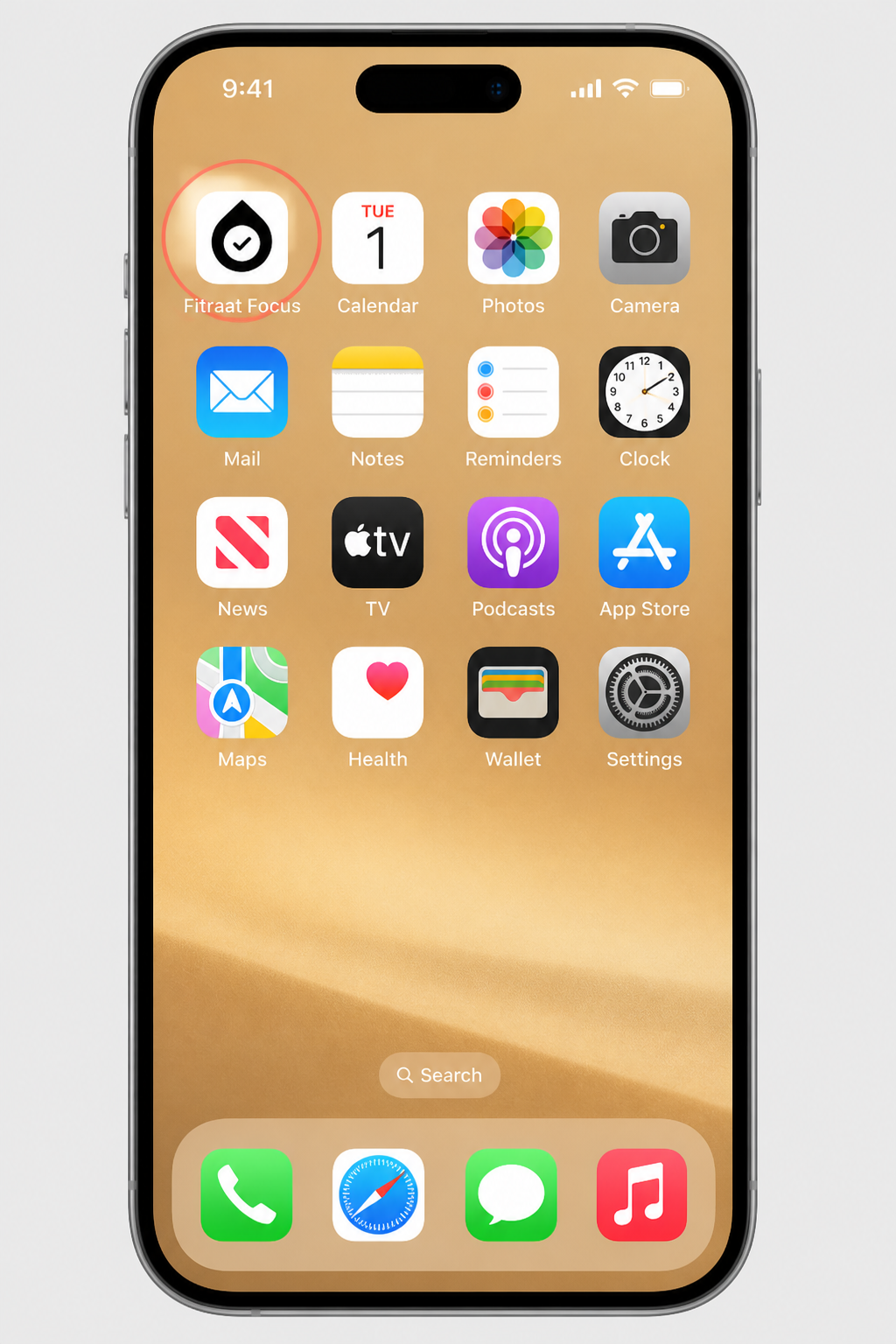
Step 04
Launch it from your Home Screen like a standalone app.
Using Chrome on iPhone?
Chrome cannot install a PWA on iOS. Tap Share → Open in Safari, then follow the steps below.
Use HTTPS. After an update, refresh once in Safari before adding again.
Pricing
Seven days to learn the flow. Then keep Premium monthly or yearly. Same access either way.
Monthly
$5/ month
Billed every month.
Yearly
Best for the habit$39/ year
About $3 a month.
Billed in the App Store or Google Play. Cancel any time.
FAQ
The session is informed by published work. It has not been tested as a clinical trial. Gollwitzer studied if-then plans for starting an action. Gloria Mark studied how interruptions slow getting back to work, and linked frequent interruption with higher stress. Ericsson studied deliberate practice: structured practice with feedback, not time that only feels busy. Newport’s Deep Work is a book about scheduling a protected block, not a scientific paper. The guides page links each source.
No. A to-do app stores tasks. Fitraat Focus runs a 5-step deep-work session on a purpose system — a library with an outcome, sections, and tasks.
Seven days to try it. Then $5 a month or $39 a year, billed in the App Store or Google Play. Cancel any time. Premium is the full session, purpose systems, Todo, and stats on web, Android, and iPhone. App blocking is on Android.
A reusable work library written by a named creator. Browse them at purpose.fitraatfocus.com, take a copy, and run the work in the app.
Yes. Open the web app in your browser. On Android, also get it from Google Play. On iPhone, use Safari and Add to Home Screen.
On Android, yes. Choose the apps that stay closed. Fitraat Focus covers them when they open. While the focus timer runs, those apps stay blocked. The website cannot block other apps.
Yes. You can use Fitraat Focus in both English and Bangla.
No. It is optional. The focus system is practical for any user.
Start
Pick a purpose system. Open a session. Repeat.
Browse purpose systems